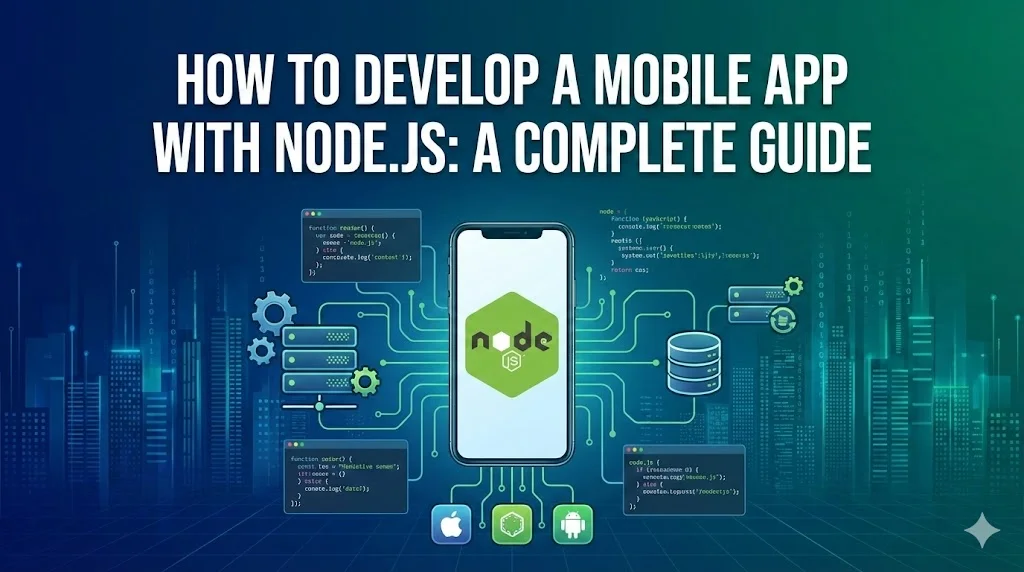
While searching for how to develop a mobile app using Node JS, you might expect Node.js to generate the app screens. A simple reality check: Node.js is usually the engine behind the application, not the application UI itself. It powers the APIs, logins, payments, real-time updates, and data that your mobile app lives on.
Stack Overflow Developer Survey 2025 JavaScript is listed as the most commonly used language, according to 66% of respondents, which is a big reason why Node.js remains practical for mobile backends.
We’ll discuss the practical way teams develop a Node JS mobile app in 2026: a mobile frontend (React Native, Flutter, Ionic, or Native) combined with a Node.js backend.
What Node.js does in mobile app development
Node.js runs JavaScript on the server. In mobile projects, it is commonly used to:
- Service APIs that the application calls (REST or GraphQL)
- Handling authentication and user sessions
- Connect to databases
- Run background jobs (emails, receipts, reminders)
- Support for real-time features (chat, tracking, live updates)
This is the real meaning of mobile app development using Node JS. Node.js runs the backend layer that makes your application “work.”
Common architecture that works well
to Create a mobile app using Node JS A clean setup usually looks like this:
Mobile application (UI) → Calls → Node.js API → talking to → Database + services
Where services can mean payments, maps, analytics, email, push notifications, and more.
This approach works well, and it keeps your mobile work and back-end work separate. This makes updates easier later.
If you want to develop a mobile app using Node JS without trial-and-error architecture, WebOsmotic can help you map UI flows to a clean Node.js API plan, then build the backend and mobile experience in a way that remains easy to scale.
Step 1: Define the application flow before writing the code
If you skip this, you’ll be rewriting a lot.
Start typing:
- Key user journeys (sign up, browse, buy, book, track)
- The data each screen needs
- Actions taken by users (save, pay, send message, download)
Keep it tight. One page is enough. This makes mobile app development with Node JS smoother because your API design becomes clear. If you want a simple checklist covering planning, design, build, testing and release, here’s the breakdown for Mobile application development process Helps you avoid missed steps
Step 2: Choose the front end of your mobile phone
Choose based on your team’s skills and application needs.
Original reaction: This is convenient if your team already works in JavaScript and wants a single code base for iOS and Android.
flutter: Very convenient if UI polish matters a lot and you want predictable performance.
ionic: Well suited for simpler applications that look close to a responsive web application.
Node.js works well with all of these, so the decision mostly comes down to the UI of your application. If you’re stuck on which stack to choose, here’s a quick list of Mobile development techniques It can help you match your application type with the right tools
Step 3: Set up Node.js backend
Most teams choose one of these styles:
- Expressing simple APIs
- Fastify for speed and clean structure
- NestJS is for large applications that need a robust architecture
What matters more than the frame is your structure.
The structure of a clean start is:
- Paths (endpoints)
- Controllers (order processing)
- Services (business logic)
- Data layer (database queries)
- Middleware (authentication, validation, logs)
This structure makes Node JS mobile app development manageable once the app grows.
Step 4: Design your API as a product, not as a guess
Your mobile application will call your backend hundreds of times. Bad APIs create slow screens and messy code.
Rules for a good mobile-friendly API:
- Keep answers small and focused
- Avoid sending extra fields “just in case”
- Use pagination for lists
- Add clear status icons and error messages
Simple example:
- Get /products?page=1
- Get /products/:id
- post /auth/login
- Post/Orders
This is enough to start a real mobile app using the Node JS backend.
Step 5: Choose a database that matches your data
Two common options:
PostgreSQL
Good for structured data such as orders, inventory, and invoices.
MongoDB
Good for flexible data such as event logs and content blocks.
You can still mix later, but keep the first version simple. Most startups do well with one database early on. If you still decide on the database, that is MongoDB vs MySQL The guide makes the trade-offs clearer for early stage applications.
Step 6: Handle authentication the right way
Authentication is not a “later” feature. It touches everything. Credential theft is one of the biggest risks, so login paths need serious care. Verizon’s 2025 DBIR notes about 88% of violations In basic web application attacks, they involved stolen credentials, which is why strong token handling and multi-factor authentication (MFA) are important early on.
Typical options:
- JWT access tokens for API calls
- Update tokens to keep sessions alive
- OAuth when you need to sign in to Google or Apple
Also add:
- Limit the rate of login methods
- Password hash (bcrypt or argon2)
- Basic Android protection if you see abuse
This is a big part of mobile app development with Node JS, because most application risks arise around authentication and data access.
Step 7: Add push notifications and background tasks
Push notifications are not “free marketing.” It’s a product feature, so treat it like a product feature.
Common uses:
- Order updates
- Appointment reminders
- Price drop alerts
The Node.js backend typically triggers push operations by calling the push service (Apple Push Notification and Firebase Cloud Messaging). The backend also handles background functions such as receipts and scheduled reminders.
Step 8: The test that saves you pain later
You don’t need an expensive setup to get the value.
Minimum tests that help:
- Unit tests for core services (pricing and permissions)
- API tests for critical paths (authentication, checkout, reservation)
- Basic load testing of your main menu endpoints
This reduces “it worked on my device” issues as your team grows.
Step 9: Deploy the Node.js backend
Most teams choose one:
- Setting up a Docker container on a cloud host
- Serverless functions for small applications
- Managed platforms that handle measurement
Containers aren’t an “advanced” thing anymore. Stack Overflow Developer Survey 2024 Docker usage is reported to be 59% among professional developers, so Docker-based deployments are a secure default option for many Node.js backends.
Basic things to do while publishing:
- Store secrets in a secure vault, not in code
- Add logging and error reporting
- Set up latency and crash monitoring
- Enable HTTPS everywhere
This is the part where many teams feel the difference between a demo app and a product-ready mobile app using a Node JS setup. If you want your architecture to remain relevant, this note is on The future of mobile application development Useful while planning updates and scaling
conclusion
Node.js is a solid choice for mobile app backends because it’s fast to build, easy to scale, and easy to use for teams already working in JavaScript. The winning approach is simple: Choose your mobile UI framework, build a clean Node.js API, then focus on performance, security, and seamless releases.
If you want a team that can plan, build, and maintain your mobile app using Node JS as a real product, WebOsmotic It can be handled from start to finish, including architecture, development, testing and launch support.
Frequently asked questions
1) Can I build a complete mobile app using Node.js alone?
Node.js handles the backend, such as APIs and data logic. For the app UI, you still need a mobile layer like React Native, Flutter, or native iOS and Android.
2) Why do people use Node.js for mobile app backends?
It’s fast to develop, uses a single language across many parts of the stack, and supports real-time features well. It also has a large ecosystem for common application needs.
3) What mobile framework works best with Node.js?
Interact with native pairs naturally because they both use JavaScript. Flutter, Ionic, and native apps also work well because they only call Node.js APIs.
4) Is Node.js suitable for applications that need real-time updates?
Yes. Node.js works well with WebSockets for chat, tracking, and live status updates, as long as you design it carefully and monitor performance.
5) What is the first step to start developing a Node.js mobile application?
Start by defining the user flows and data each screen needs. Then design your API paths around those screens before building the backend.

Related Posts